
Scribble Shop
•
What should art supply shopping look like?
8 week solo academic project
Context
Art stores can affect shopper confidence by limiting how much people can test supplies, turning the experience into a guessing game. Aside from the occasional pad for pens or pencils, most materials are “look, don’t touch.” Combined with crowded aisles and confusing labels, choosing something like paint can feel uncertain and slows down the process.
Over eight weeks, I explored how to shift this passive experience toward hands-on discovery, with an emphasis on digital exploration. After two weeks of research, three weeks of concepting, and three weeks of prototyping, I developed a solution that makes the store more interactive and tactile. Shoppers can pull yarn samples and weave on an interactive loom, while LED wayfinding and clearer signage make navigation easier and encourage exploration.
Over eight weeks, I explored how to shift this passive experience toward hands-on discovery, with an emphasis on digital exploration. After two weeks of research, three weeks of concepting, and three weeks of prototyping, I developed a solution that makes the store more interactive and tactile. Shoppers can pull yarn samples and weave on an interactive loom, while LED wayfinding and clearer signage make navigation easier and encourage exploration.
Year
2025
Toolbox
Blender, Illustrator, Photoshop,
After Effects, Unity, Arduino
After Effects, Unity, Arduino
Research
To determine a problem space, I kicked off the project with some online and offline research.

Store Observations
+ Staff Interviews
+ Staff Interviews
Shoppers have an idea of what they want, but spend more time deciding out of uncertainty.

Artist Interviews
Even with a clear idea of what to buy, products can be difficult to locate with unclear labels or overwhelming choices.

Online Platforms
Shopping is hindered by vague information, limited access to product testing, and lack of engaging presentation.

Fiber Artist
Crafters start with a project goal but need help visualizing how yarn, stitches, and needle sizes affect the outcome.
Based on my discoveries, I knew I wanted my solution to primarily address 2 things...
Lack of
test ability
test ability
&
Information Overload
...which often combine to create a stall during the shopping process
Solution
Let's dive into how I tackled these pain points!
Discover
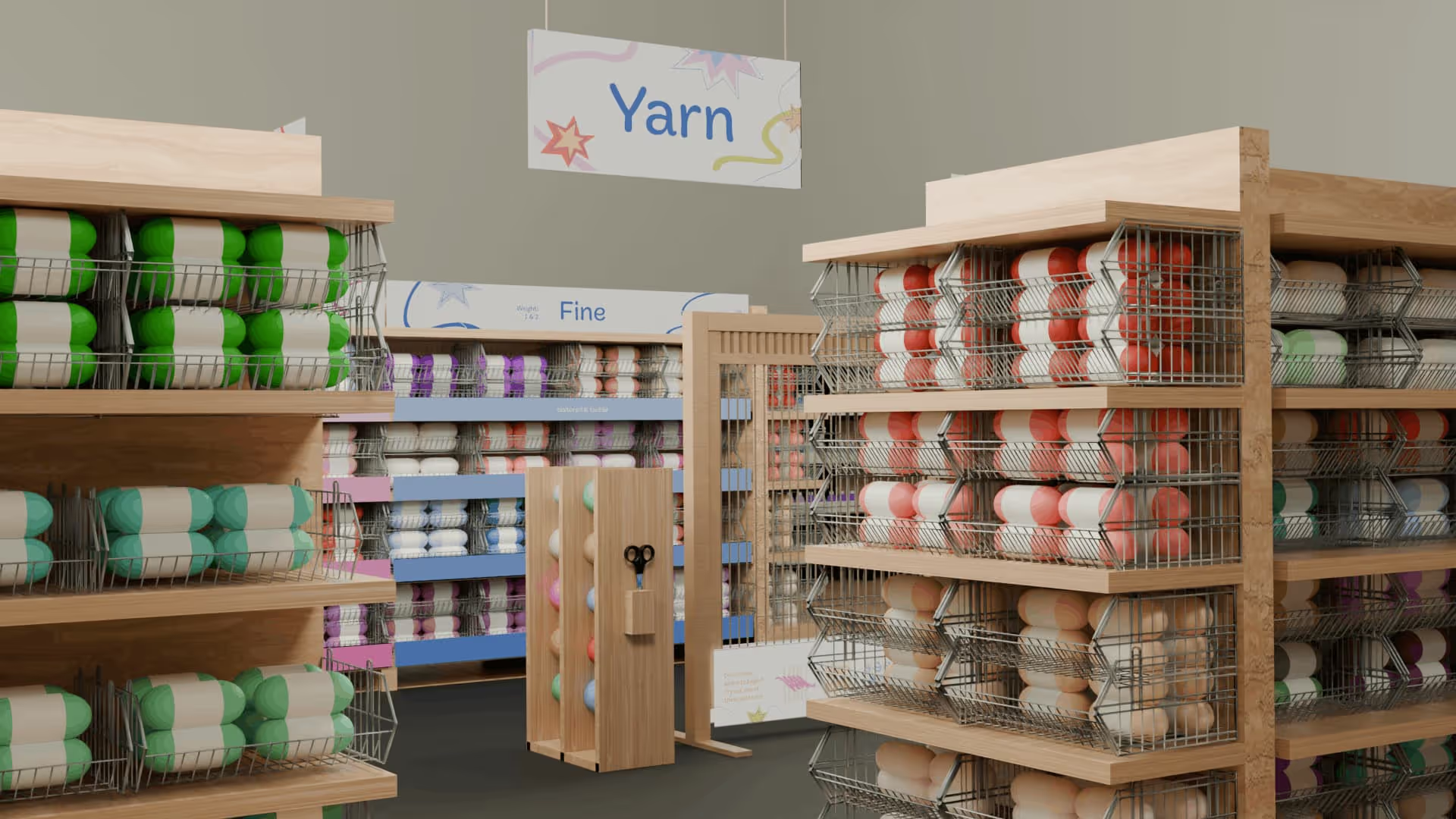
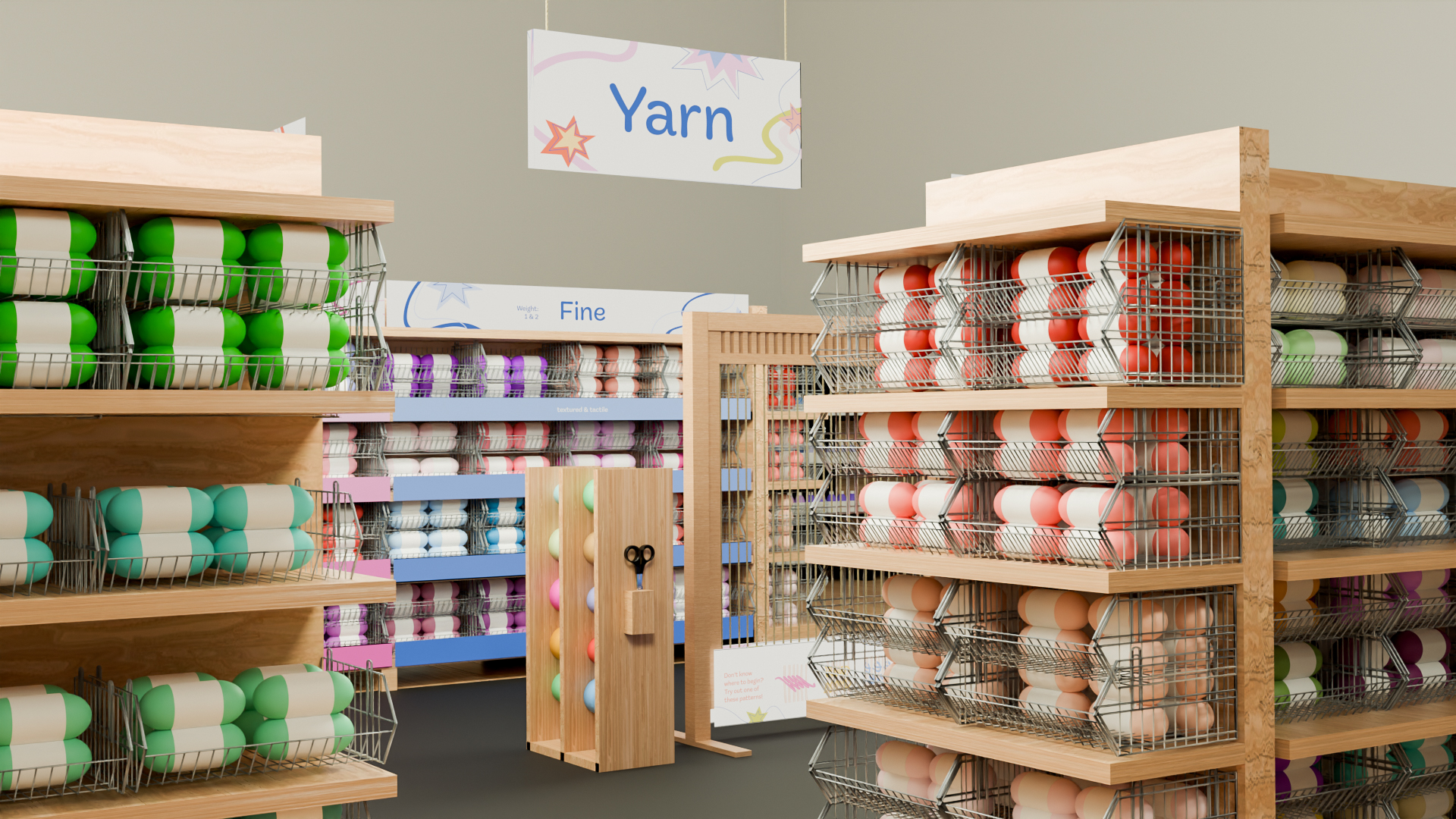
This is the first step of the experience where customers enter the aisle, and notice the unconventional aisles and all of the fun signage!
Play
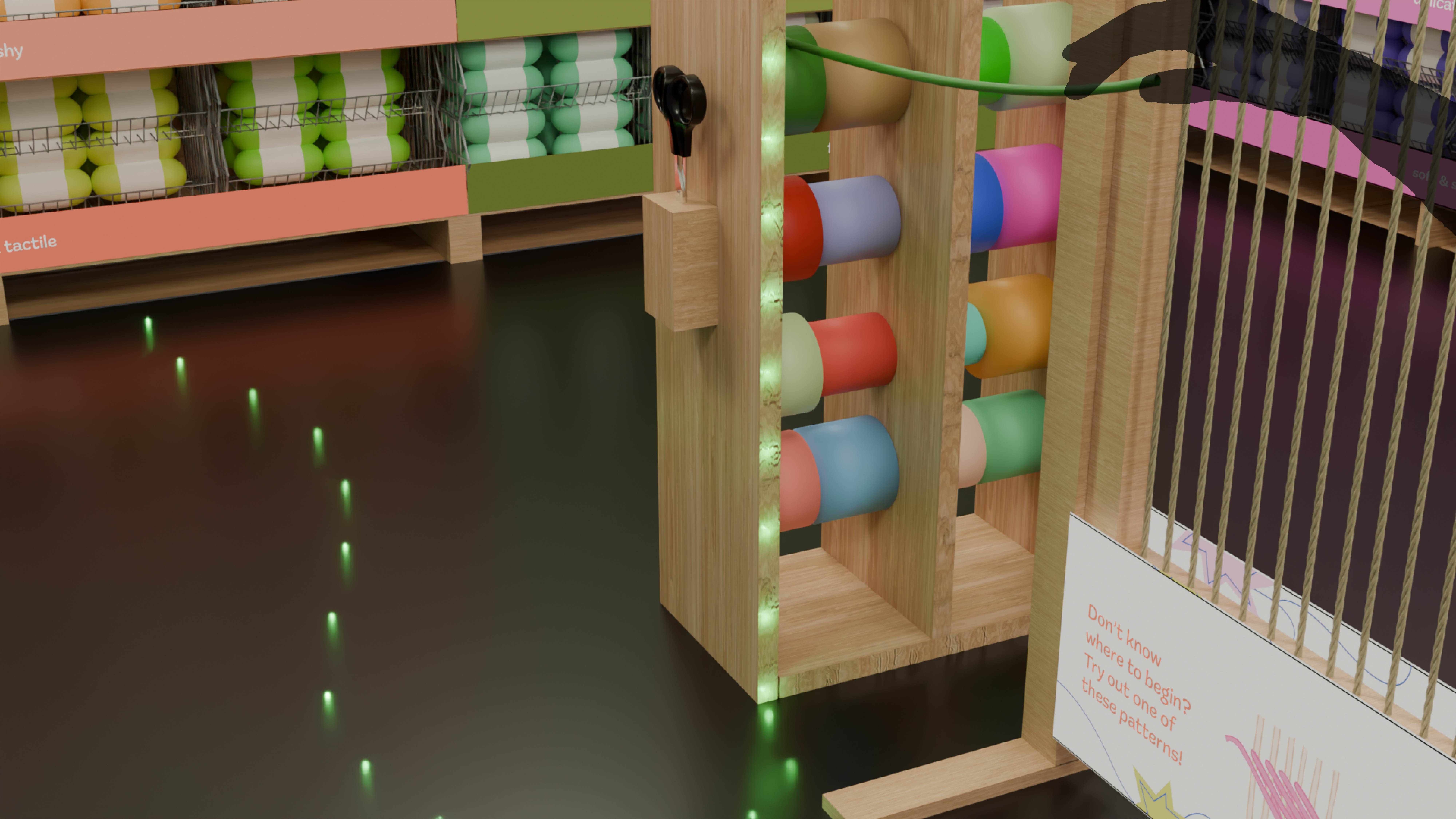
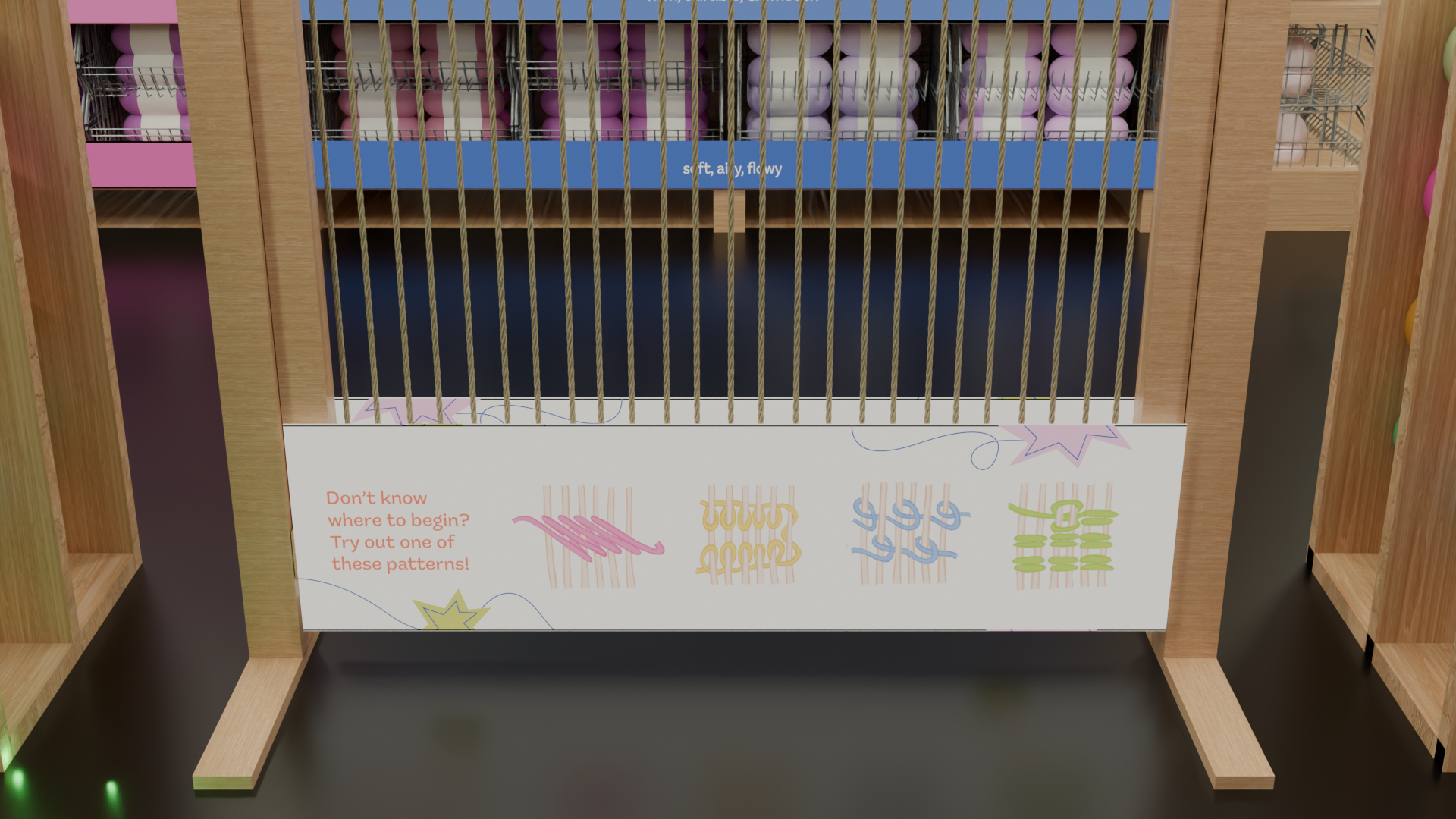
A central loom and sample yarn racks invite customers to pull yarn directly and weave it onto the loom. An inspiration banner at the bottom offers ideas for those unsure how to interact.
Locate
When yarn is tugged on the rack, LEDs on the side of the shelf and embedded in the floor create a trail guiding customers to where they can find that specific yarn on the retail shelves. This allows customers to find the right product and easily explore similar options.
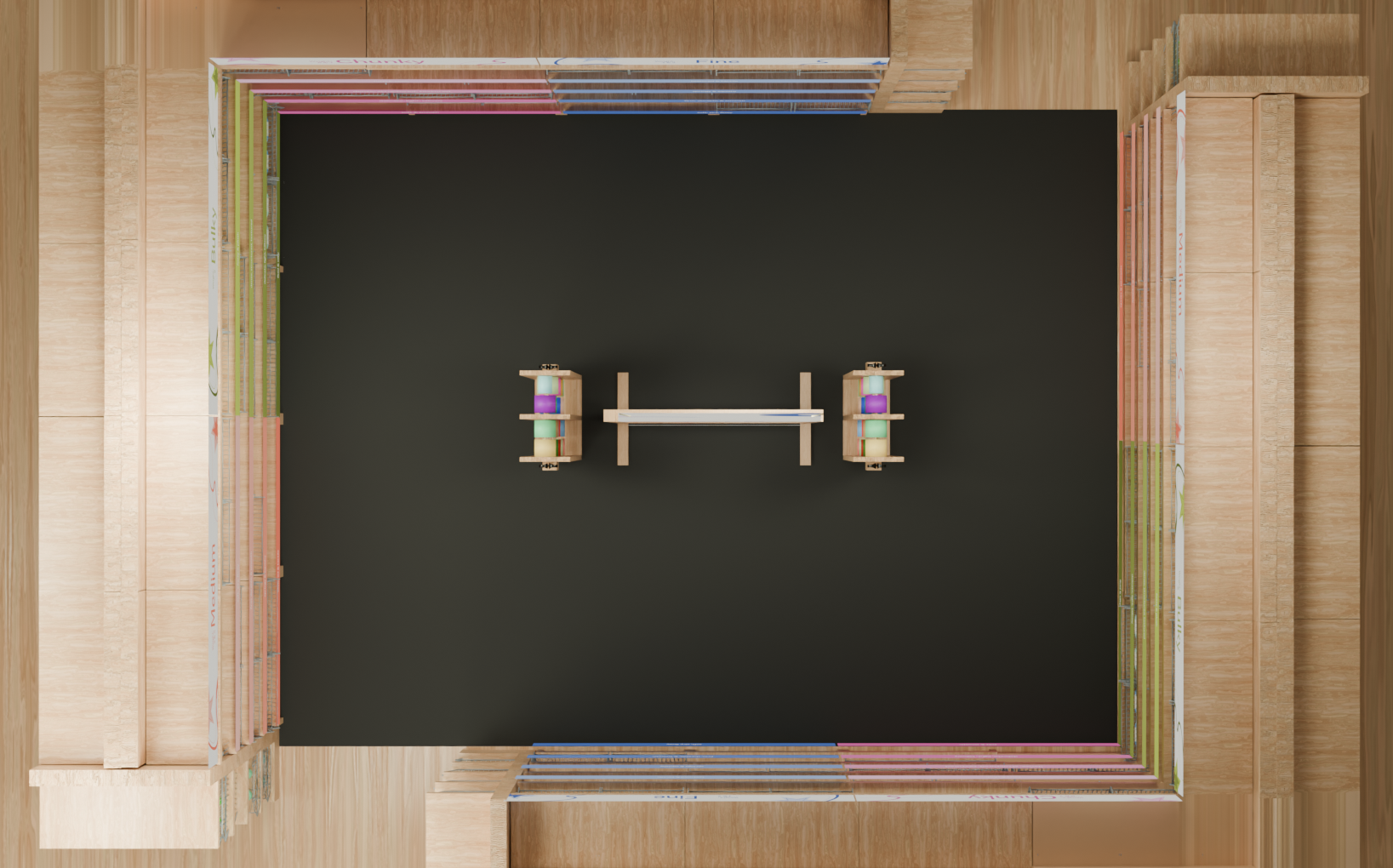
Select
Leaving the area with yarn that addresses customer's needs. Rectangular aisles allow for easy visibility and navigation from the loom to the retail shelving, and in the entire store. Allowing customers to weave between sections without feeling tied down to one.
Prototype
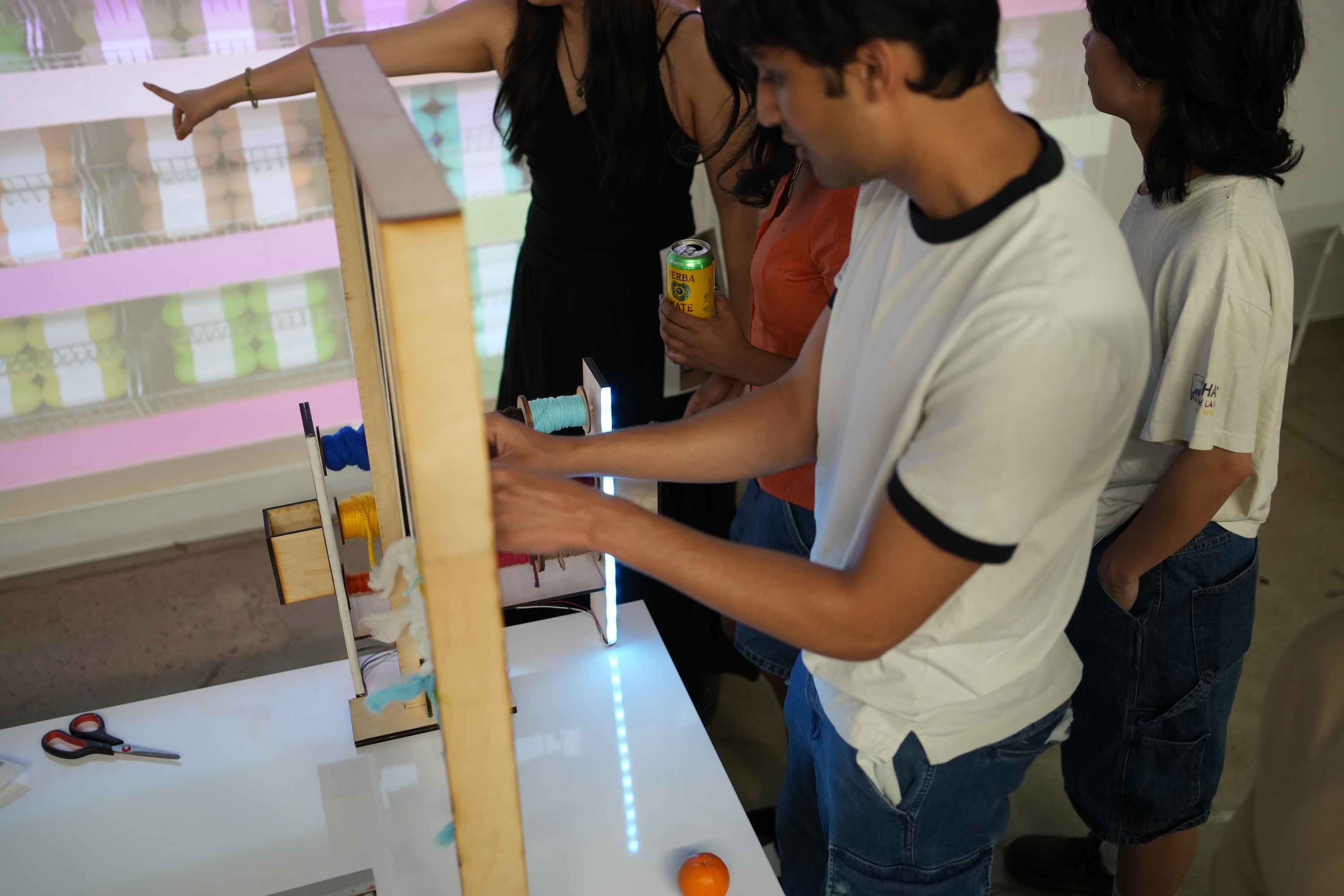
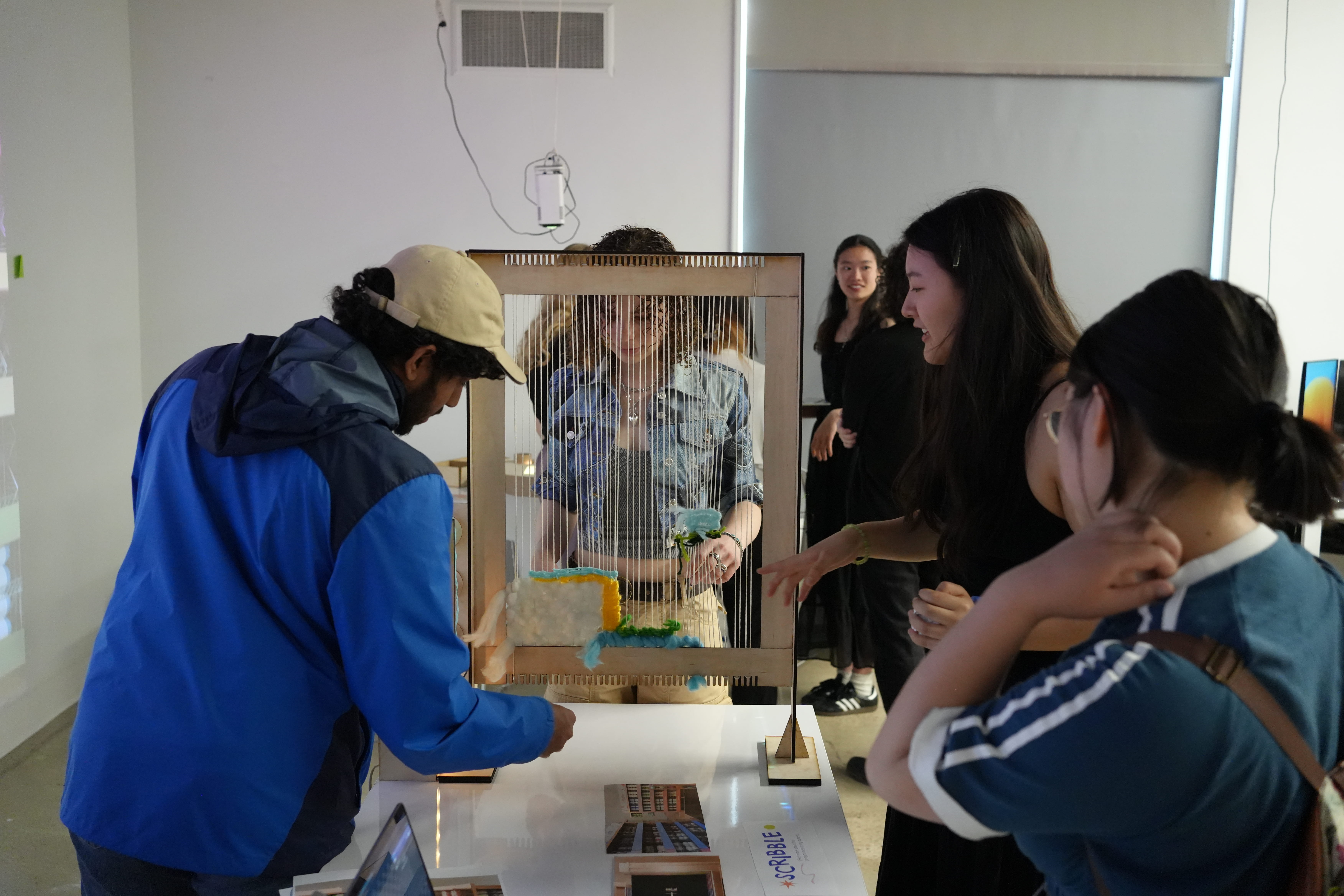
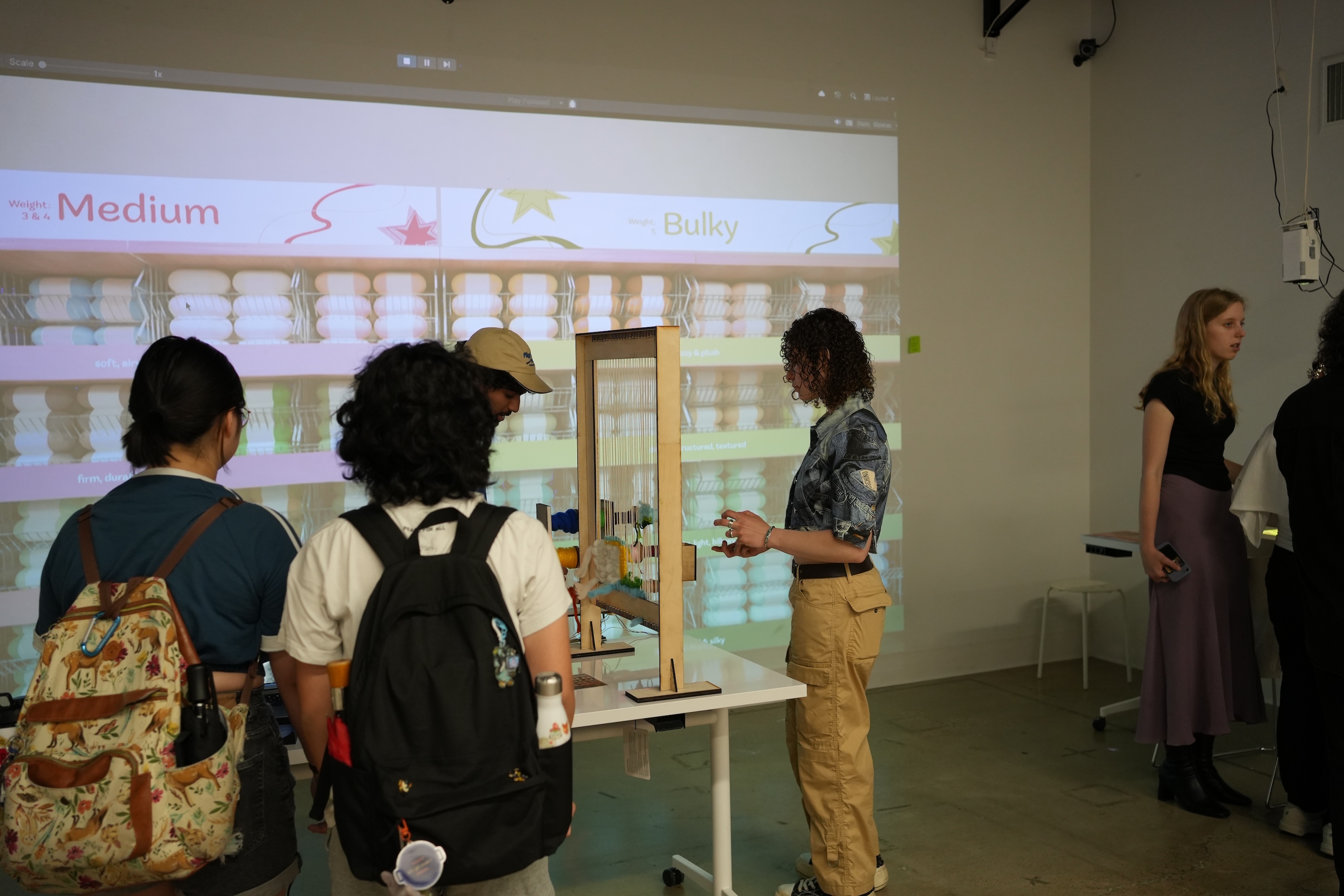
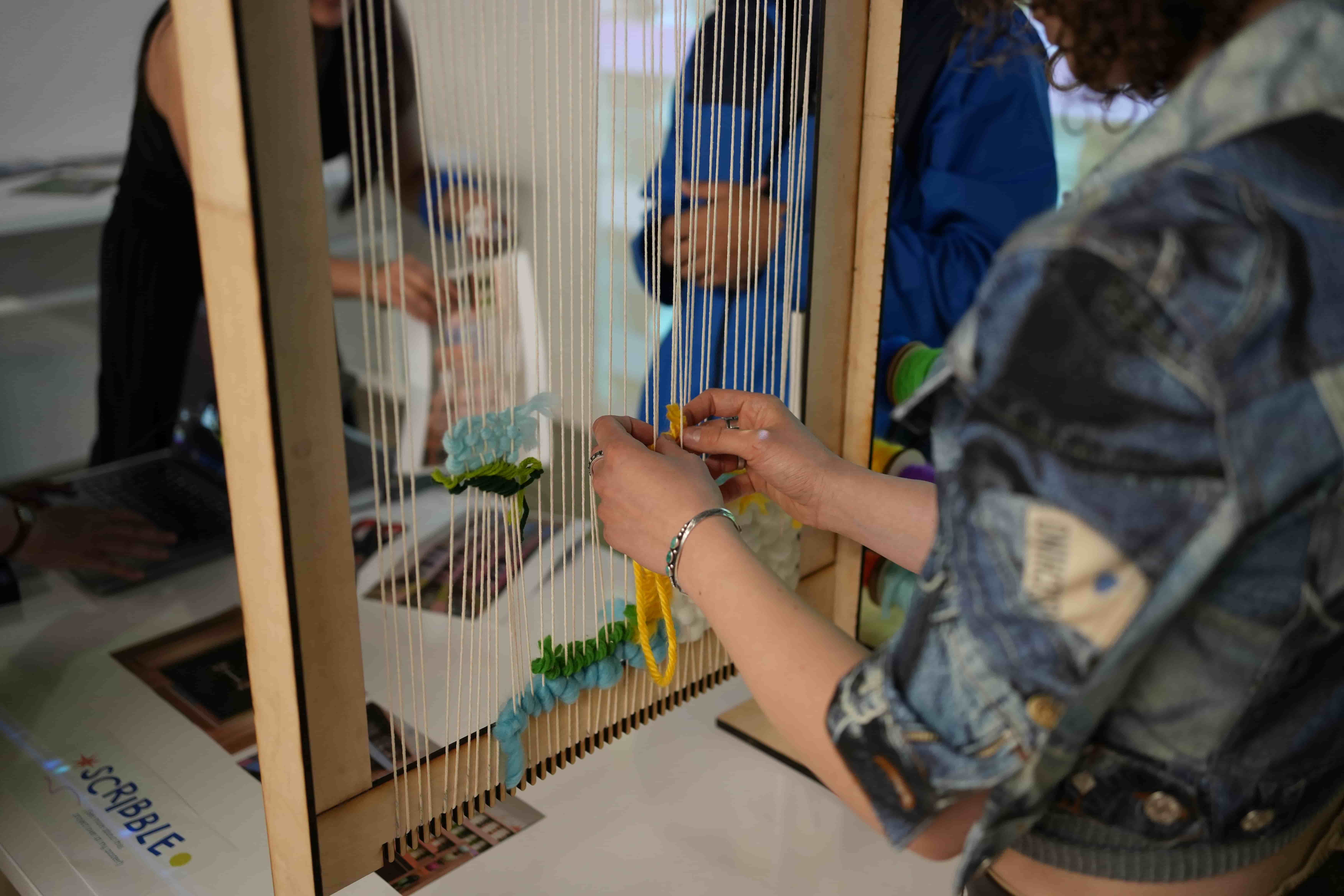
To give a better idea of what the interaction would look like, I made a prototype!
Here's how people interacted with it!

Journey
So, how did I arrive here? Keep scrolling to see snapshots of my journey!
Early Ideas
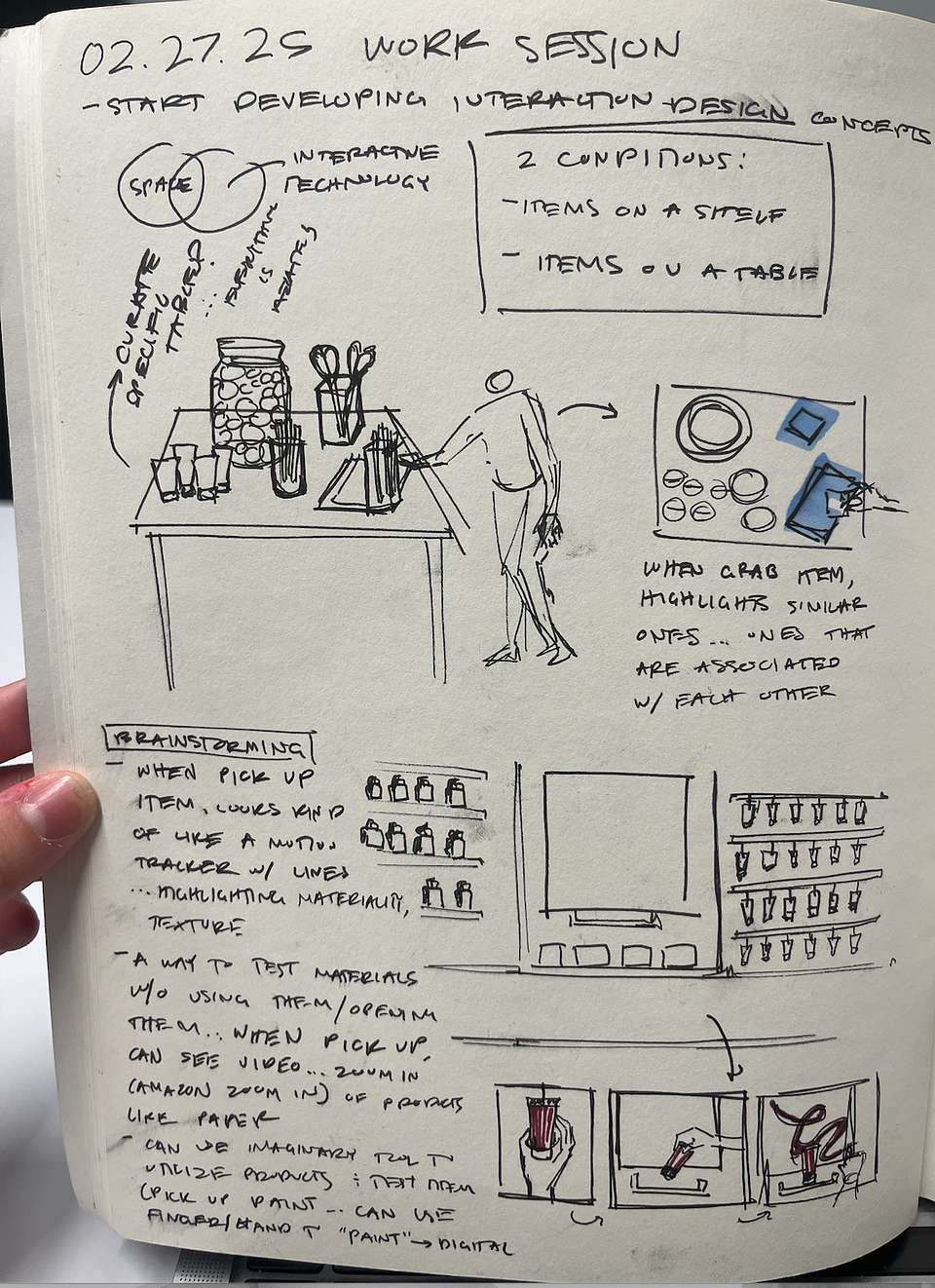
Sketching initial ideas after research & establishing problem space

Quick Rhino render to visualize interaction
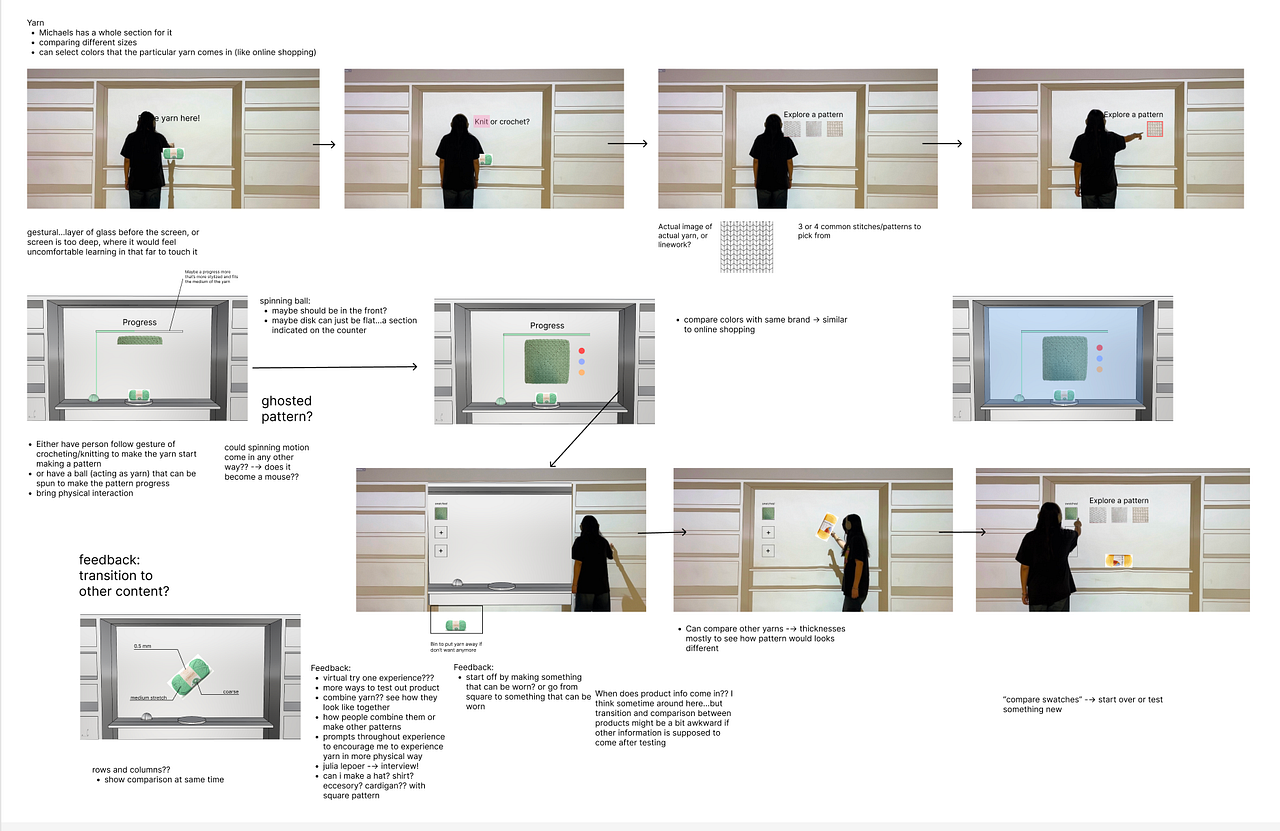
Body storming the steps
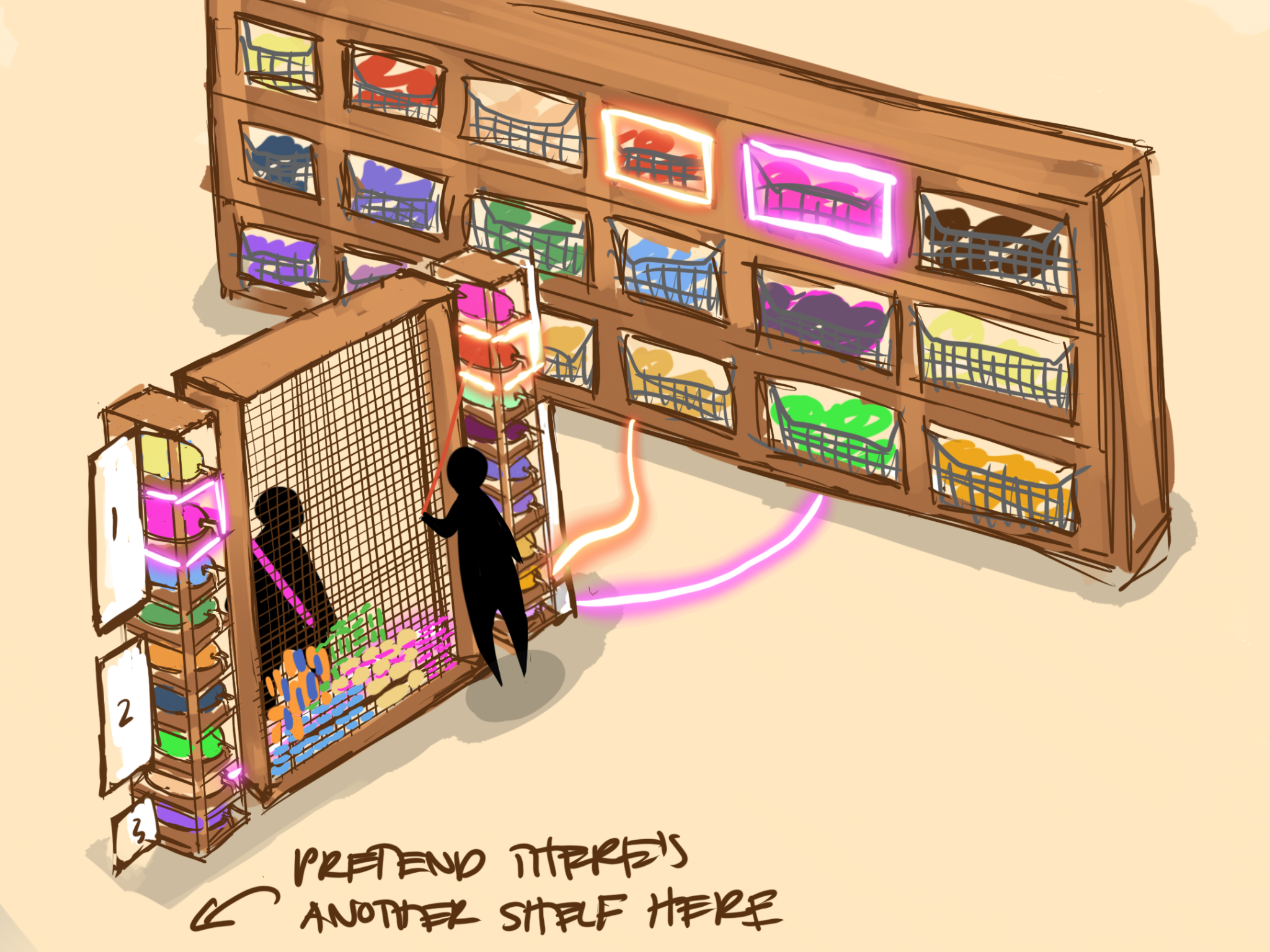
Drawing out refined idea
Prototyping & Fabrication

Queuing up loom and shelving for laser cutting
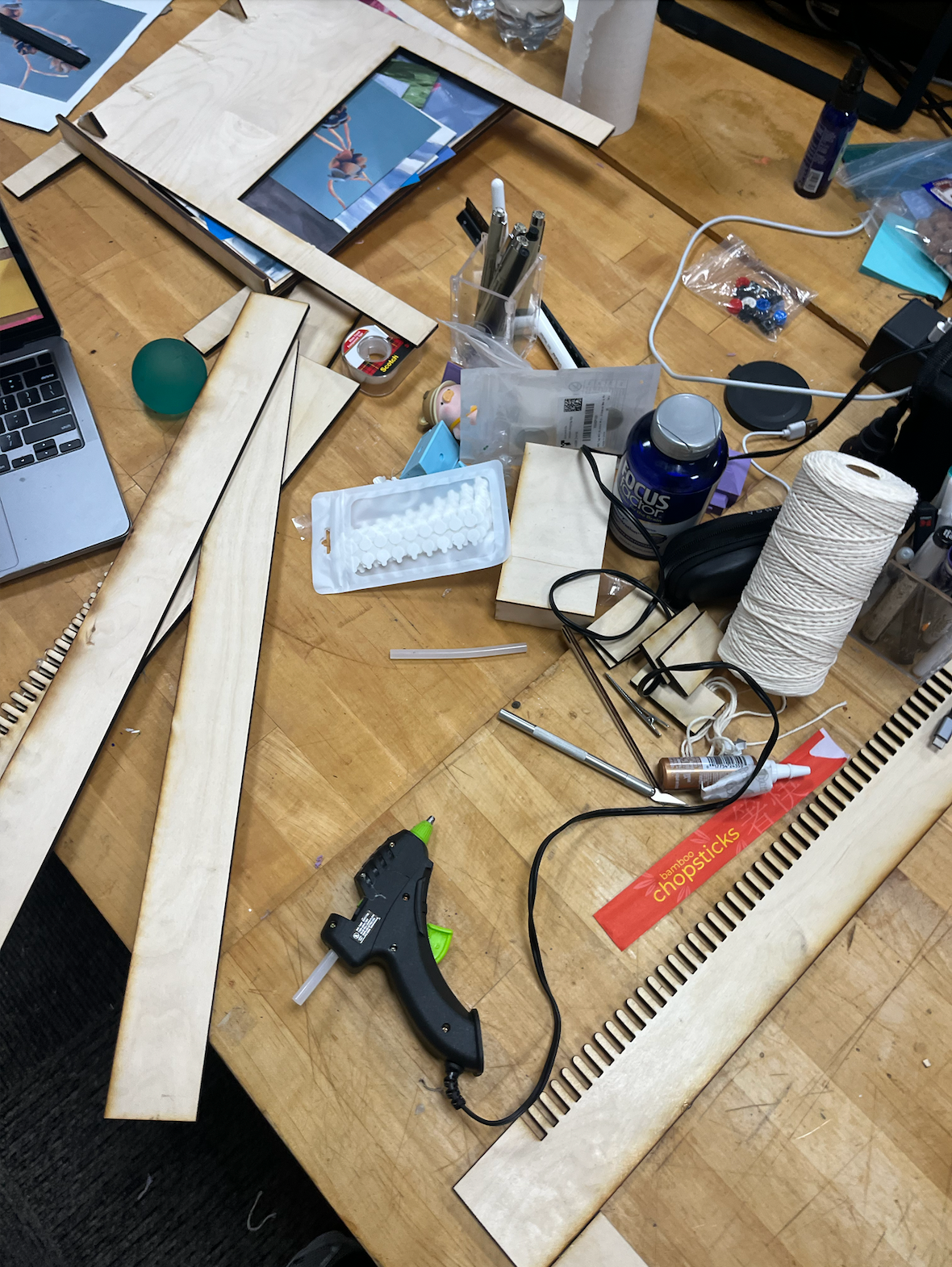
Messy assembling begins

After threading some string, the loom is complete
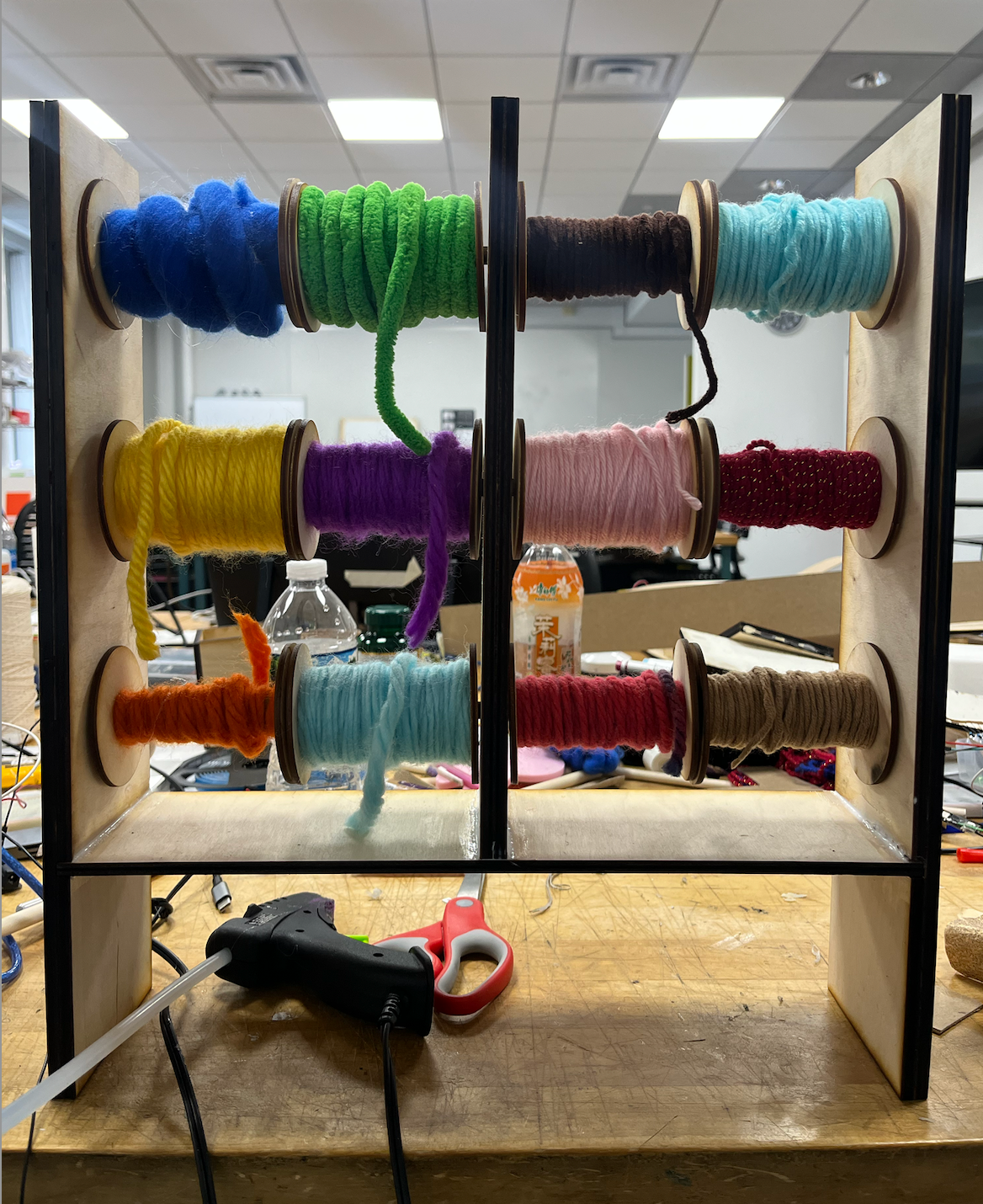
Shelving complete with mini spools of yarn

Connecting LEDs with an animated trail with Unity and Arduino

Testing out all components in the Spatial Lab
3D modeling with Blender
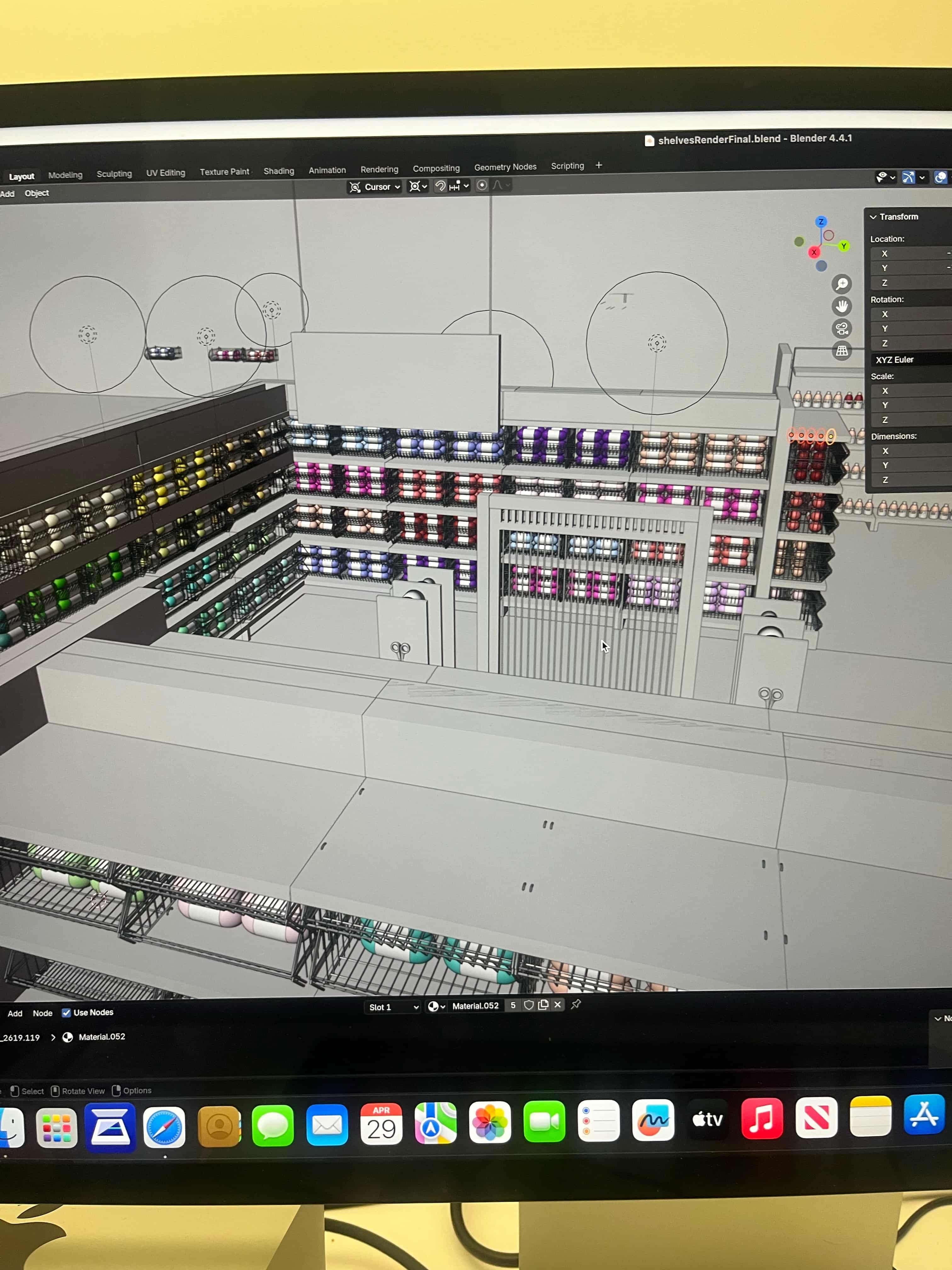
Building up aisle with shelving, yarn, and loom

UV mapping graphics onto signage
Taking a moment to reflect...
This project came with a lot of challenges, especially since it was my first time working with Arduino. One of the biggest things I learned was that technology should support and enhance the interaction, not distract from it, and that the technical component was important in communicating the concept. Even when things were difficult to figure out, the final prototype left me feeling proud and excited to continue exploring new technologies and how they can strengthen my projects.

.png)
